TestShell Database Permissions
Error Message
Windows Service Logon Info
The service is unable to logon to the Database. The user "LocalSystem” does not have permission to connect to "TestShell” database.
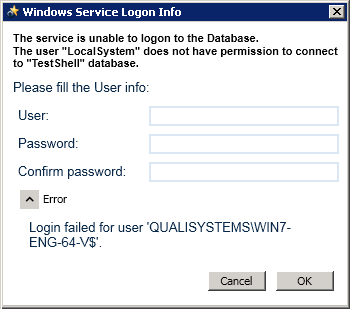
Description
The above error may appear when creating a new database or using an existing database on a remote database server.
Possible Causes
Local user does not have permission to open a remote database.
Solution
To grant CloudShell users permissions for a database on a remote machine:
-
In the User field of the Windows Service Logon Info dialog box, enter the Local System user or Domain User name.
-
Specify the full path, for example:
<Domain>\<Username>-or-
<Local User on RemoteMachine>\<Username> -
In the Password field, enter the user’s password.
-
Confirm the user password and click OK to proceed.